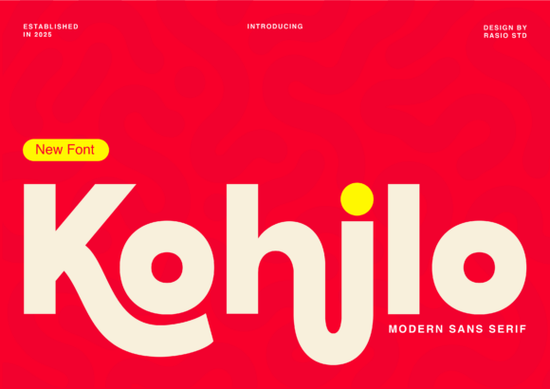
If you are searching for a typeface that balances clean geometry with playful energy, Kohilo Font might be exactly what your next layout needs. It sits right between a polished professional sans serif and a bold display face, meaning it can handle heavy headline work without feeling stiff. The design leans on thick strokes while using exaggerated, liquid-like curves to catch the eye especially noticeable in the rounded “h” and sweeping “j.” This intentional detail gives digital and printed materials a contemporary feel that still reads clearly at standard sizes.
What makes this typeface stand out for modern projects?
Many designers aim for complete neutrality, but that approach often leaves layouts feeling generic. Kohilo keeps a solid sans foundation while injecting distinct personality into specific glyphs. The curved terminals create a subtle flow that guides the viewer’s eye across logos, posters, and web banners. When you compare it against other options like this curated sans serif collection, you will notice how well it maintains structural consistency. The weight distribution stays even, so you rarely need to manually adjust tracking to prevent letters from looking cramped.
For small business owners and makers, readability matters just as much as visual impact. The open counters and steady x-height allow secondary text to sit cleanly underneath headlines without competing for space.
Where should I actually use a face with this much character?
Because this typeface carries both structural weight and friendly curves, it works best where quick visual communication is essential. Creative tech teams use it for landing page hero sections where clarity and modern aesthetics must align. Toy and game packaging designers also lean on it, since the bold strokes stand out on retail shelves and translate cleanly to die-cut shapes.
If you build social media templates, the letters handle oversized headers beautifully while leaving room for supporting copy. App interfaces benefit from the geometric consistency, especially for buttons and navigation labels. Teams that usually pick structured sans alternatives for UI work will appreciate how smoothly it scales across screens.
How do I pair it without cluttering the layout?
Pairing a distinctive display typeface requires restraint. The liquid curves already provide visual weight, so your body font should stay quiet. A standard humanist sans works well for paragraphs and pricing tables. If you need softer accents, rounded display options can complement the bold headers nicely. For seasonal campaigns, marker-style lettering adds a tactile contrast when reserved for single accent words.
Quick pairing rule: keep line spacing generous. Thick stems and curved terminals need breathing room to avoid collisions in tight columns. Let the headline carry the emphasis, and keep supporting text simple.
Will it hold up for print-on-demand and shop graphics?
Indie sellers often worry about how screen fonts translate to physical goods. Kohilo renders cleanly in both raster and vector workflows, making it reliable for t-shirts, mugs, stickers, and tote bags. The bold weight handles screen-print separations easily, while lighter weights remain legible on digital mockups. Always embed the font correctly when exporting, and convert text to outlines before sending large files to your printer. Before publishing products, review the included commercial guidelines to ensure your merchandise stays compliant. You can also check official licensing standards for commercial typography to avoid unexpected issues.
What should I verify before exporting?
- Test readability at 12pt to confirm the curves stay sharp on standard monitors.
- Add slight tracking for all-caps so the thick stems do not merge together.
- Preview against high-contrast backgrounds to keep open counters visible.
- Save an editable master with live type layers before creating outlined exports.
Following these checks ensures your designs stay consistent across print and web. Keep a few mockup variations ready, test the hierarchy on mobile, and lock your spacing once the layout flows naturally.
Get Started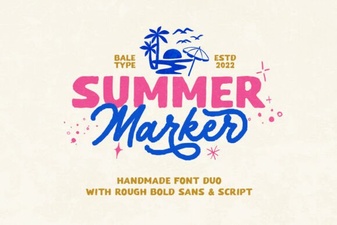 Summer Marker Font for Creative Projects & Designs
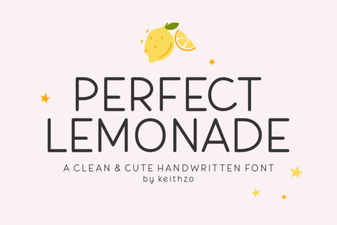 Crafting the Perfect Lemonade Font for Your Projects
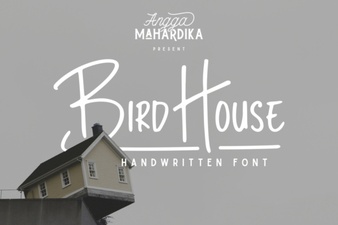 Designing with Bird House Font: Creative Projects
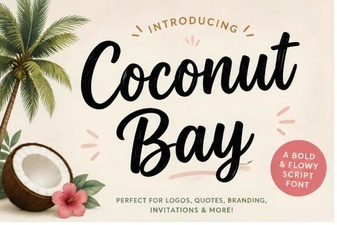 Explore the Coconut Bay Font for Creative Projects
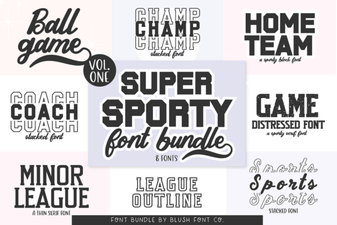 Super Sport Bundle Font: Designs That Move & Inspire
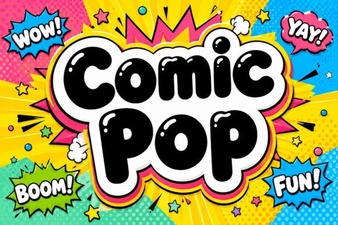 Fun Comic Fonts for Creative Projects